LDCloud
Recharge
SALE
English
How to Restart Devices or Make a Factory Reset
Update Time:2022-05-11 15:16:19
Select the cloud phone that needs to be operated, and enter the management interface(button in the lower-left corner). Tap"restart" or "factory reset" or "replace"
(Note: restarting the device will close the game, and after a factory reset, you need to re-install the apps.)
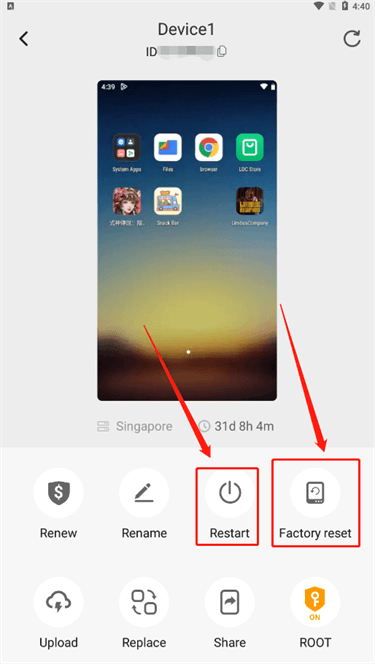
1. Restart (data will be retained)
2. Replace (the data will be erased. Replacing devices means that you will get a new cloud phone)
3. Factory reset (data will not be retained, the phone will be restored to factory settings)