LDCloud
Recharge
SALE
English
12SKY M GLOBAL AFK Efficiency Guide
Update Time:2025-12-02 17:49:22
If you play 12SKY M GLOBAL regularly, chances are you've already discovered how helpful the auto-combat system is. But are you really making the most of it?
In a game where every minute of grinding counts, learning how to increase your 12SKY M GLOBAL AFK efficiency can mean the difference between staying average and staying ahead. This guide is for players who want to level smarter, earn faster, and let their characters farm effectively—even while sleeping.
Let's walk through how the AFK system works, what you can do to boost it, and how LDCloud gives you the edge other players don't have.
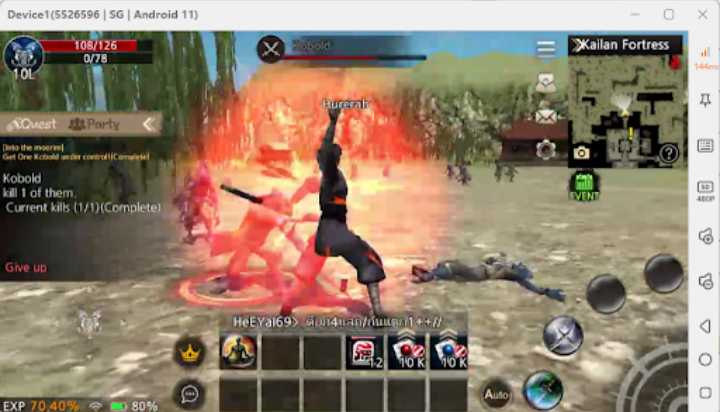
How Does the 12SKY M Global AFK System Work?
In 12SKY M GLOBAL, the auto-hunt system allows your character to fight enemies, pick up loot, and gain experience without needing manual control.
Once you activate Auto-Hunt and Auto-Pill, your 12SKY M GLOBAL character uses skills automatically, consumes potions when HP or Chi drops, and clears mobs in a set area. However, AFK play on regular mobile devices has major limitations:
●The game stops running if your phone locks or the app crashes.
●Extended auto-hunting drains battery fast and overheats your device.
●You can't switch apps or use your phone normally while AFK.
Tips to Improve 12SKY M Global AFK Efficiency
Here are the most practical in-game ways to boost your 12SKY M GLOBAL AFK efficiency:
Best 12SKY M GLOBAL AFK-Friendly Classes
|
Faction |
Class |
AFK Efficiency Notes |
|
Guanyin |
Sword |
Tanky melee, great for long AFK sessions. High defence. |
|
Guanyin |
Marble |
Ranged dodge class, avoids hits. Safer grinding. |
|
Jinong |
Sceptre |
Mobile ranged class. Ideal for auto-farming and kiting. |
|
Jinong |
Light Blade |
Becomes tanky mid-game. Reliable solo grinding. |
|
Fujin |
Double Blade |
Balanced melee class. Casual-friendly for passive players. |
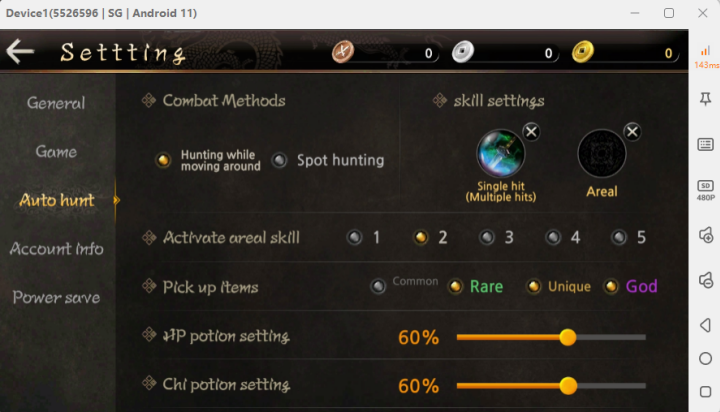
12SKY M GLOBAL Auto-Hunt Settings For AFK
●Set 2 strong area or multi-target skills in your Auto-Hunt slot.
●Adjust Auto-Pill to 60% HP/Chi to stay alive without overusing potions.
●Uncheck "Common" loot pickup to avoid inventory overflow.
●Always check that "Attack Mode" is active so your character fights mobs nearby.
12SKY M GLOBAL Gear & Stat Recommendations
●Build Vitality + Strength for the best balance (e.g. 3:2 or 2:3 ratio).
●Use pets like Ghoul Defender (+HP) or 7-Sacred Rosary (+DEF).
●Equip White Tiger mount (+5% DMG/Chi) or Golden Lion (+5% DEF/Dodge).
●Prioritise Unique gear early, then aim for full Rare sets.
12SKY M GLOBAL AFK-Friendly Locations
|
Level Range |
Recommended Spot |
Why It’s Good |
|
1–24 |
Mini-boss zones |
Decent drop rate, close mob clusters |
|
25–65 |
Yanggok’s Cave |
Portal areas spawn dense, easy mobs |
|
65–90 |
Island Caves |
Great spawn rate, early rare drops |
|
90–G4 |
Scroll of Seekers |
Best XP and loot if Premium is active |
|
G5+ |
Odawa Cave, Foci zones |
Elite-heavy zones for high-level loot grinding |
LDCloud supports 24/7 cloud uptime, so you can stay in these maps farming all day—without draining your phone or PC.
How Can LDCloud Help You Improve Your 12SKY M GLOBAL AFK Efficiency?
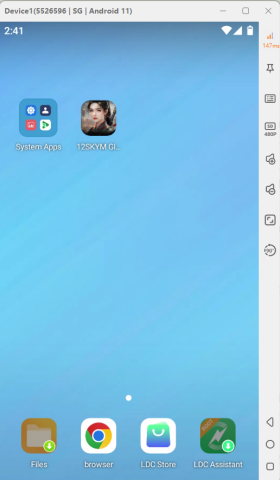
When it comes to next-level 12SKY M GLOBAL AFK efficiency, nothing compares to having your game running on a cloud phone. That's exactly what LDCloud gives you.
24/7 Auto Grinding with Zero Interruptions
LDCloud runs your game on a virtual phone in the cloud, 24 hours a day. You don't need to keep the app open or your device unlocked. Even if your phone is off, your AFK grind continues.
Multi-Instance Farming
LDCloud multi-instance lets you run multiple game accounts on different cloud phones at once. Use the One-Click Sync feature to farm on all of them simultaneously—perfect for managing alt accounts or forming your own auto-grinding party.
Sharing Function for Team Play
Want someone else to manage your account while you're away? LDCloud's secure sharing feature lets trusted guildmates or friends take over and handle boss runs or dungeons for you—remotely.
Battery-Free, Data-Free, Stress-Free
No heating. No crashes. No background data usage. LDCloud keeps your main phone free for other apps while your cloud device handles all the heavy lifting.
Global Server Access
LDCloud lets you access any regional server—no VPNs required. Play on Korean or Thai servers with local-level stability, wherever you are.
Getting Started with LDCloud for 12SKY M Global
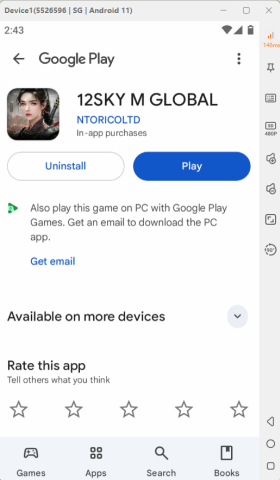
You don't need to be tech-savvy to use LDCloud. Here's how to set it up in minutes:
1.Go to https://www.ldcloud.net/ and create an account.
2.Choose a cloud phone with the specifications that meet your needs, and launch it via the LDCloud dashboard.
3.Use the Google Play Store or built-in LDC Store to download 12SKY M GLOBAL.
4.Log in to your game account and set up Auto-Hunt.
5.Close the app—your grind continues in the cloud.
That's it. Now you've got a full-time AFK setup running in the background.
Conclusion
If you're serious about maximising your 12SKY M GLOBAL AFK efficiency, these tips will save you hours of manual grinding—and skyrocket your progress. From smart class choices to smart use of gear, pets, and maps, every detail adds up.
Do you often face a dilemma: wanting to keep the game running AFK, but having only one phone needed for work and other entertainment, while the game also causes your device to overheat and drain battery rapidly? Exiting and restarting the game is not only slow but also disrupts normal phone use.
LDCloud Cloud Phone is your ideal solution—it's like having a dedicated "second phone in the cloud" that can run your game 24/7, consuming zero local performance, data, or battery power. Truly achieve a balance between work and play, allowing you to switch seamlessly anytime, anywhere, completely freeing up your device and your time. Download LDCloud Now!