LDCloud
Recharge
SALE
English
How to install Seal M on LDCloud
Update Time:2023-06-16 11:37:01
Dear Users,
We have recently identified that some users face accessibility issues with Seal M on LDCloud. As a result, we have addressed and resolved these issues with our latest update and have prepared a detailed installation guide to assist you. Please follow the steps below carefully to install Seal M on LDCloud.
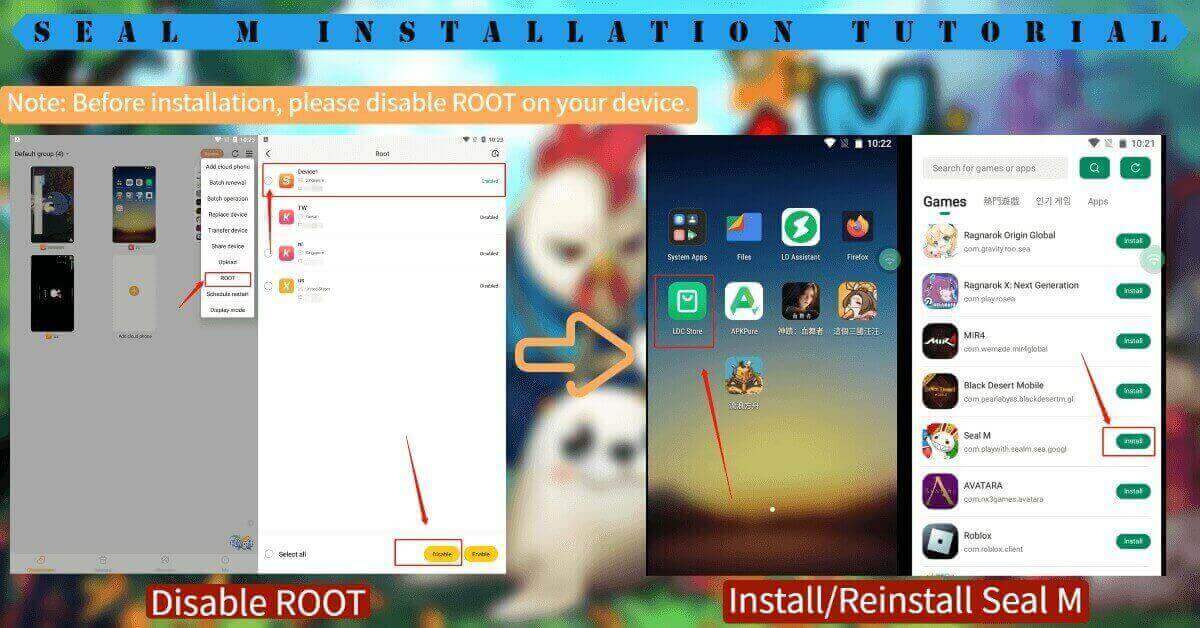 Seal M Installation Guide
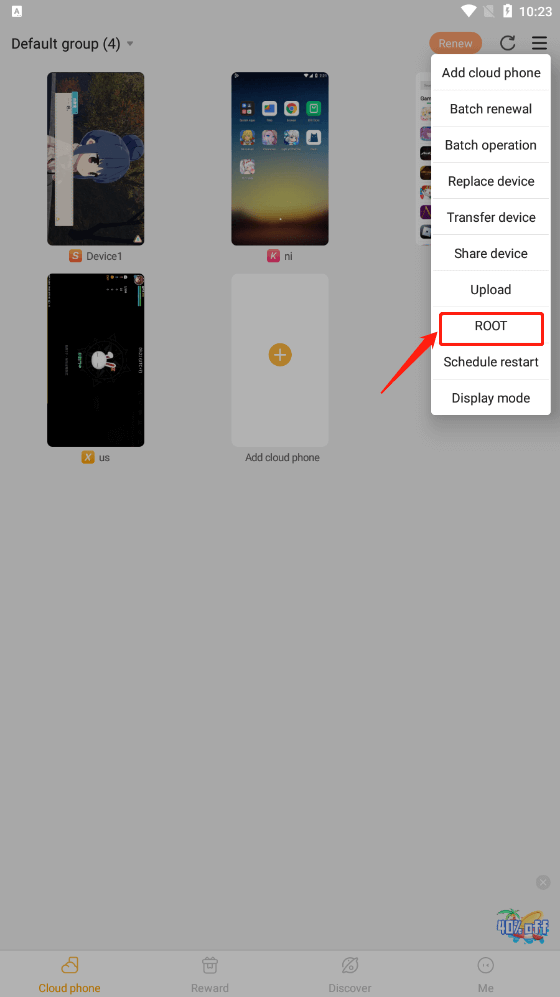
Step 1: Please find the [ROOT] on the drop-down menu in the main interface;
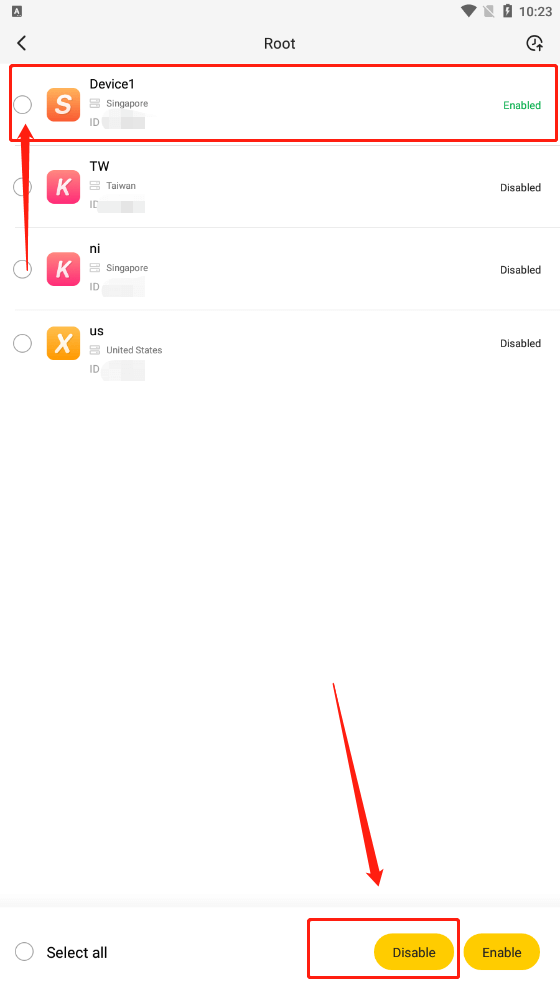
Step 2: Disable ROOT on your device;
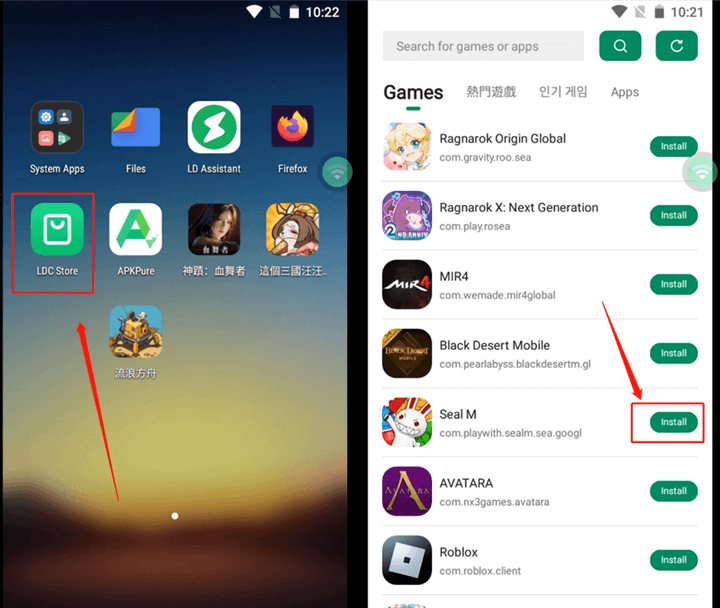
Step 3: Install or reinstall Seal M via the LDC store on your device.
Note: Seal M Sea is now fully functional on all our servers. And for a better gaming experience, we highly recommend selecting the XVIP cloud phone device.
If you still can't enter Seal M after following the guide, don't hesitate to contact us via Facebook, and we will assist you as soon as possible. Thank you for your understanding and support!
LDCloud Team