LDCloud
Load center
SALE
Filipino
How to use cloud phone assistant
Update time:2026-06-10 17:46:49
All functions are operated within the LDCloud Assistant inside the cloud phone. A cloud phone restart is recommended after configuration for settings to take effect.
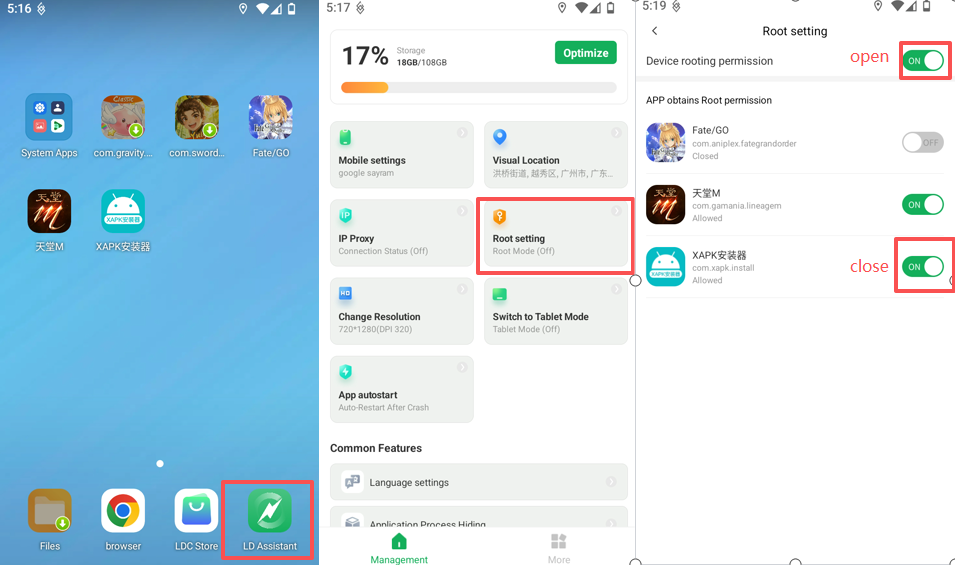
I. Enable / Disable ROOT Access
- Launch the cloud phone and open LDCloud Assistant.
- Tap ROOT Settings and toggle the main switch.
- You may enable or disable ROOT permissions separately for individual apps.
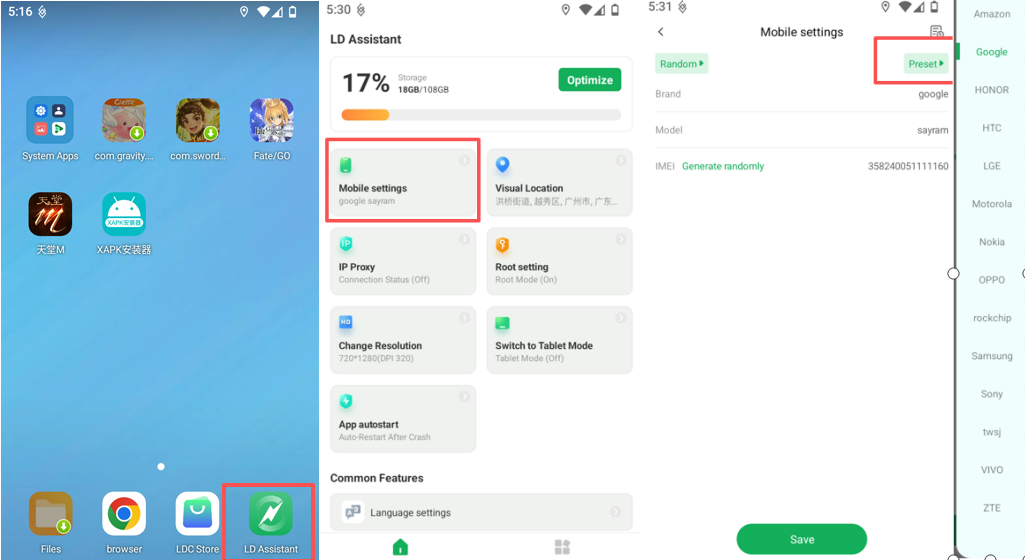
II. Device Model Settings
- Open LDCloud Assistant → Device Model Settings.
- Select a device model such as Xiaomi, Huawei, OPPO, etc.
- Tap Save to complete the modification.
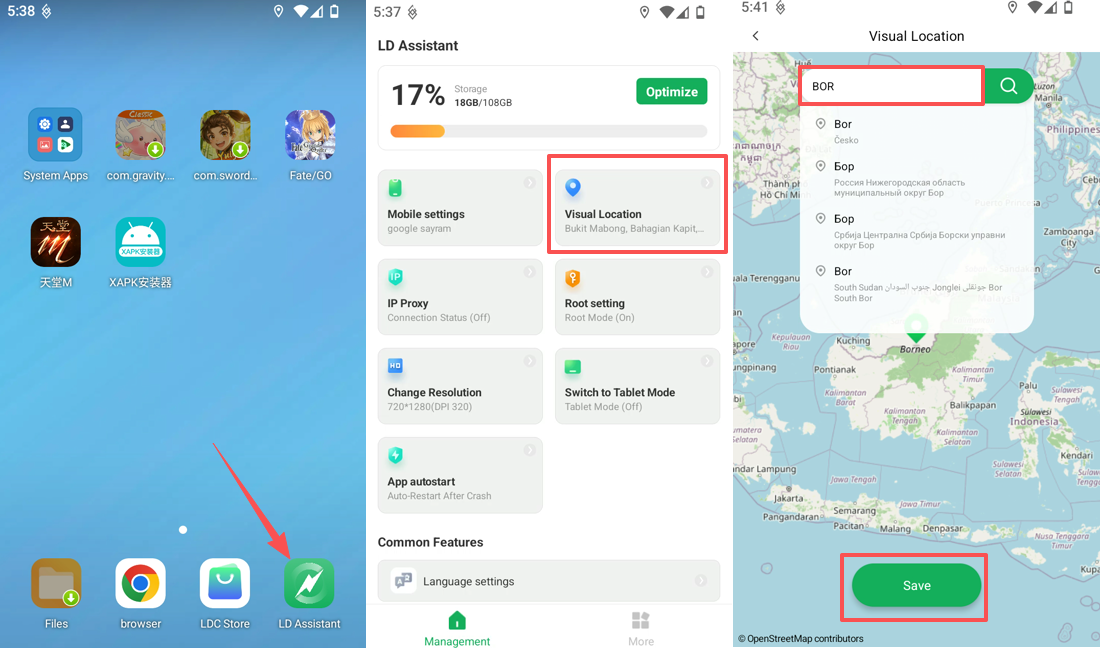
III. Virtual Location
- Enter LDCloud Assistant and turn on Virtual Location.
- Search for your target location and save the coordinates.
- Some apps need to be restarted to refresh the location data.
Important Reminders
- Minor deviations may occur with Virtual Location. Certain applications detect locations via IP address, so this feature cannot guarantee full compatibility with all software.
- This function does not guarantee evasion of app detection. Please use it in full compliance with relevant laws and regulations.
- Most configurations require a cloud phone restart to apply successfully.
Should you have any questions, please contact our online customer service.