LDCloud
Centre de recharge
Promotions
Français
How to batch rename on the LDPlayer PC client?
Date de mise à jour:2026-07-15 18:37:20
Quickly select multiple devices to modify their names in bulk. Below is the complete step-by-step guide:
I. Preparations for Bulk Renaming
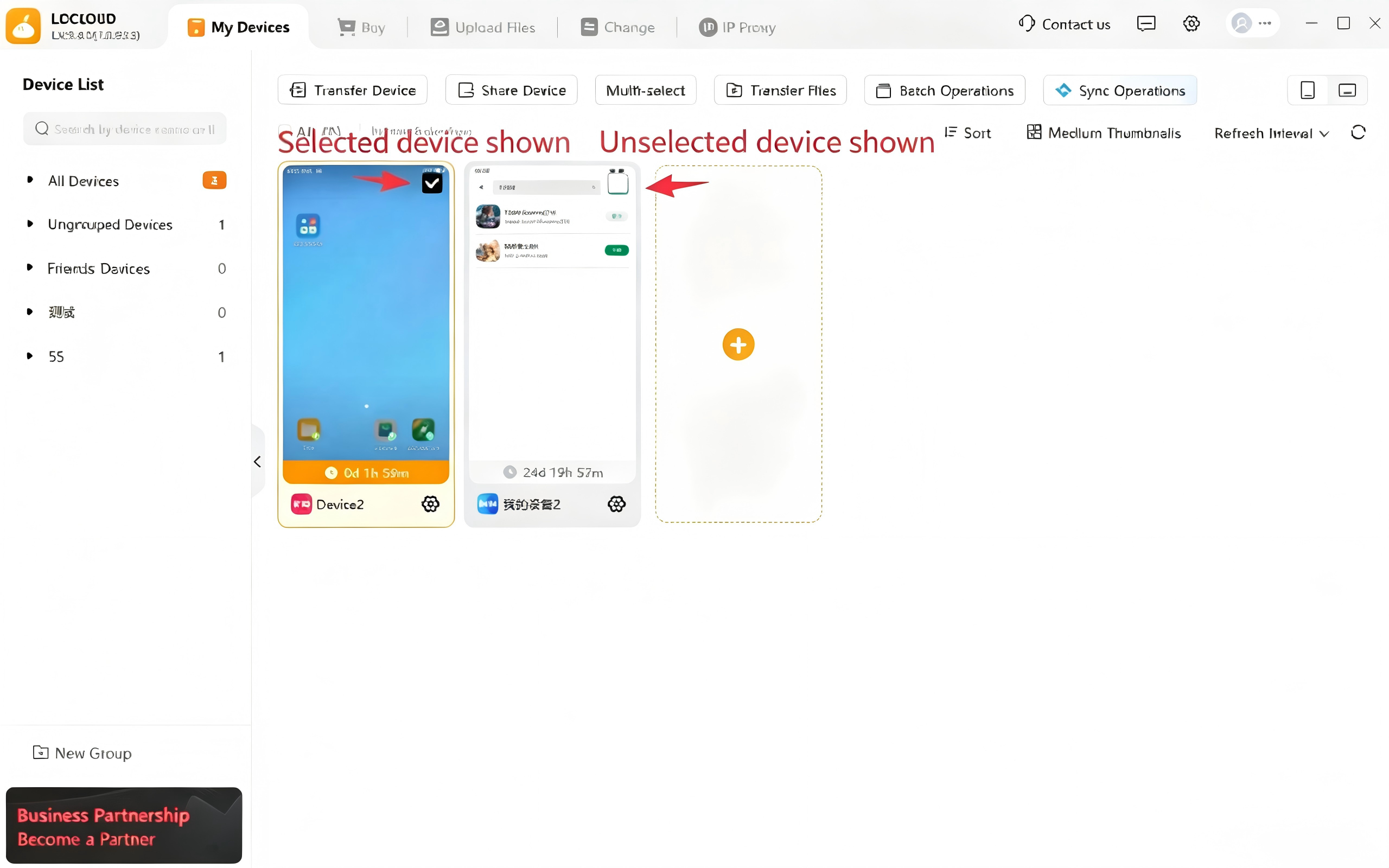
1:Navigate to the Device Management page, then check all target devices whose names need to be modified.
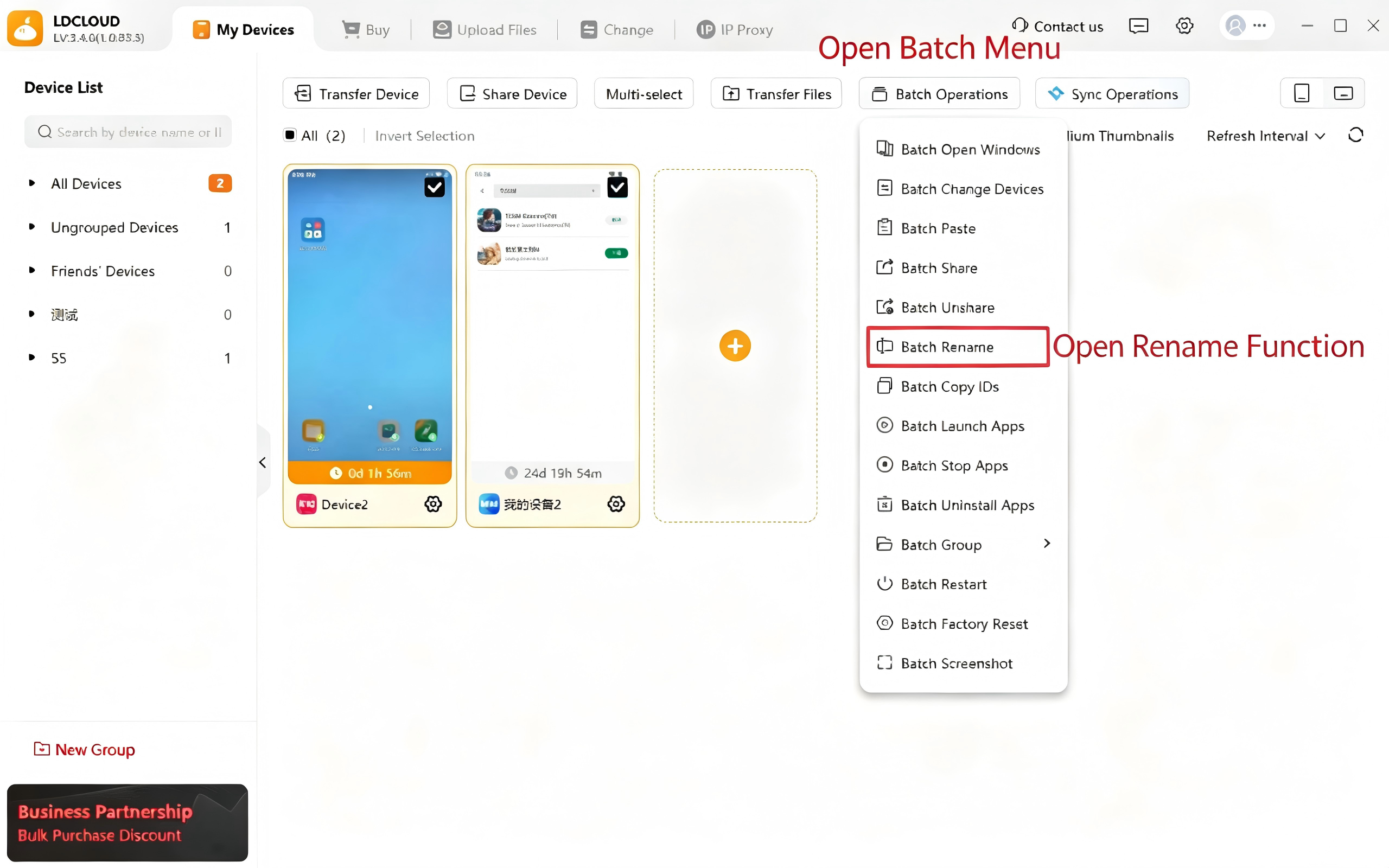
2:After selecting the devices, open the bulk operation menu and select the Bulk Rename function.
II. Operation Guide for Two Naming Modes
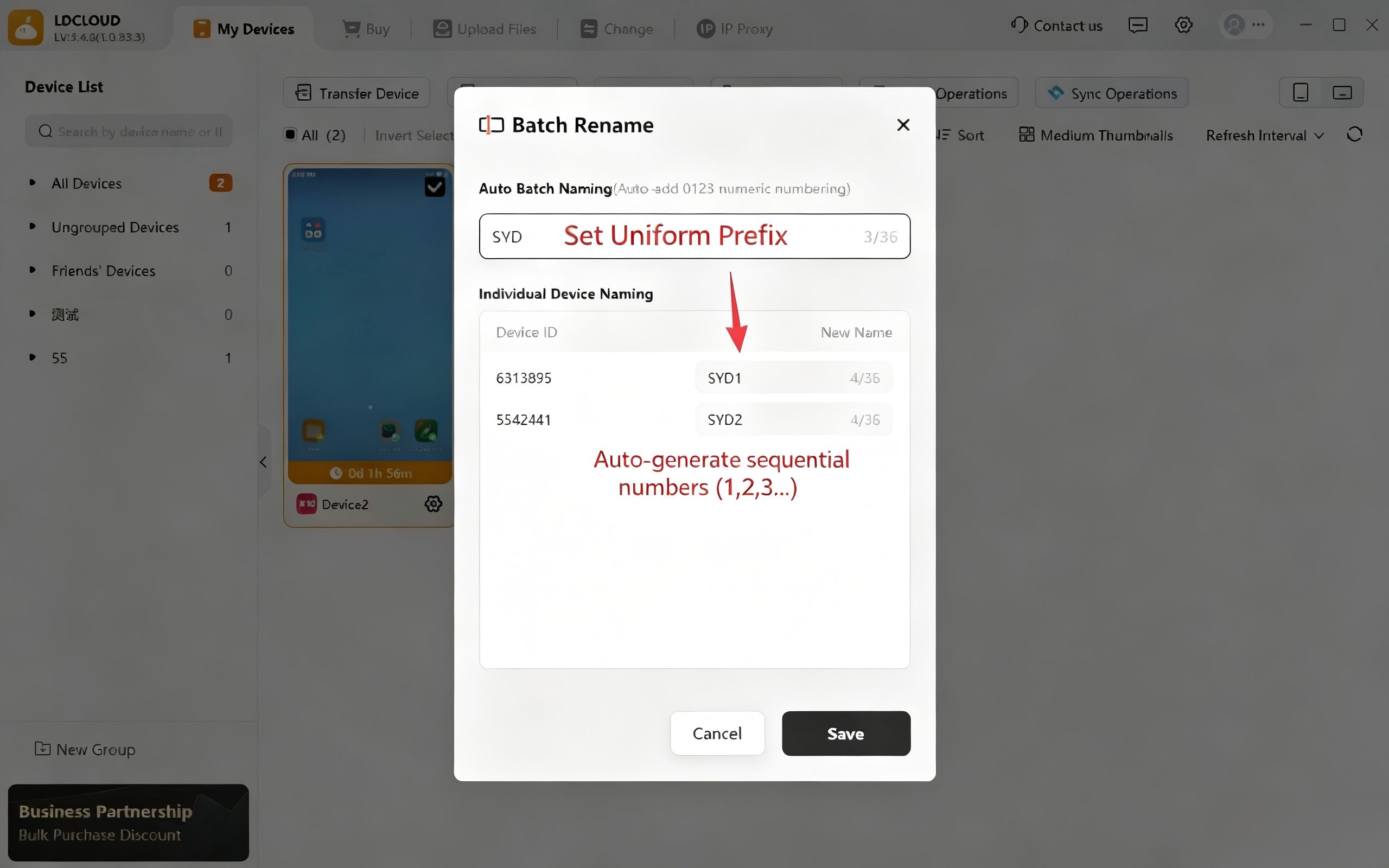
1. Automatic Uniform Bulk Naming
Enter a custom unified name. The system will automatically generate device names with incremental serial numbers (1, 2, 3...) for standardized naming of multiple devices.
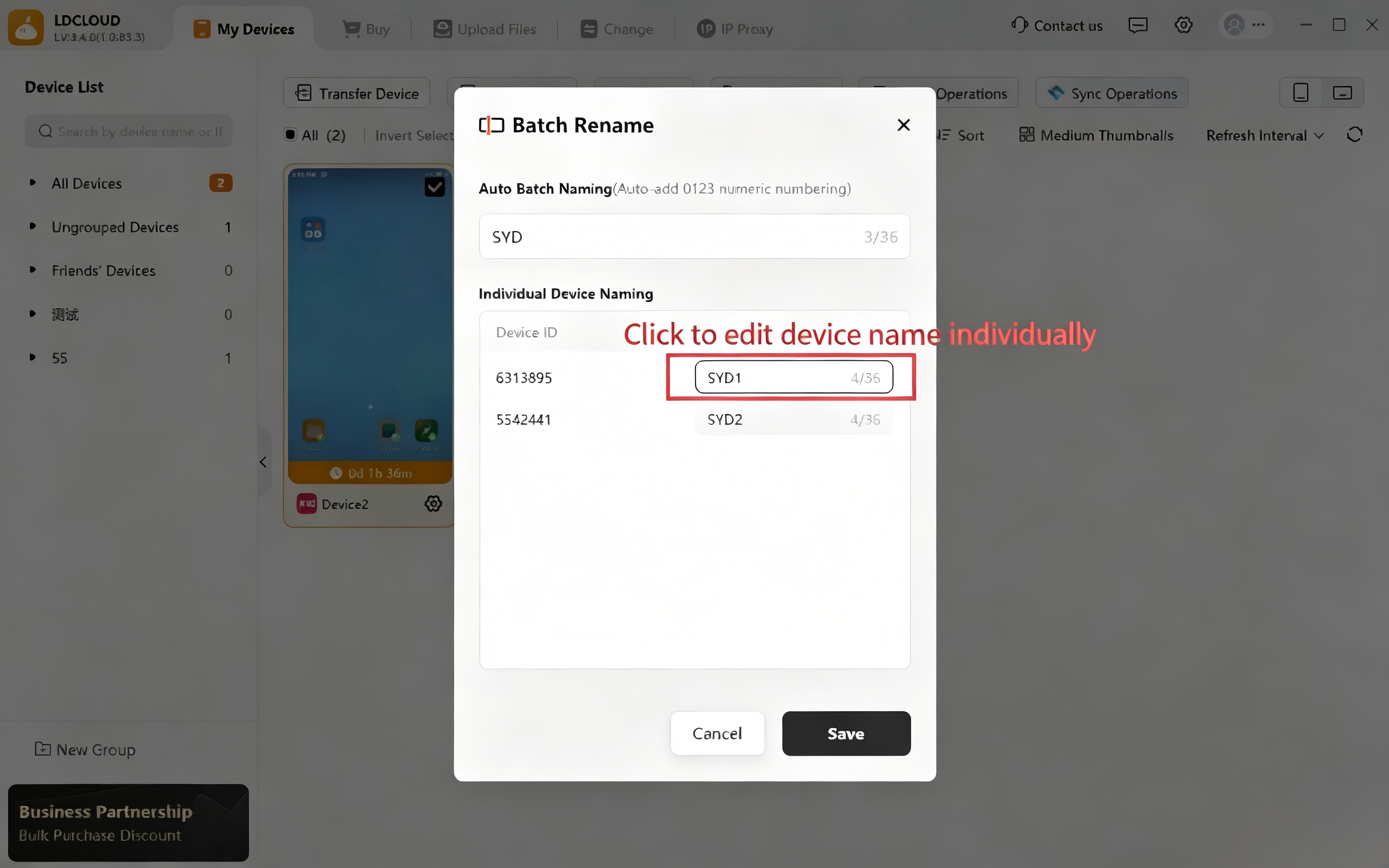
2. Independent Custom Naming for Single Devices
In the bulk naming preview area, click the name of the corresponding device to edit its name separately, enabling flexible unique identification for each device.
3. Save to Take Effect
Once all device names are edited, click the Save button to synchronously update all device names in bulk.