LDCloud
Recharge
SALE
English
Complete Guide to Activation Code Operations on Mobile
Update Time:2026-04-21 11:11:03
This guide covers the full process for using activation codes on mobile, including device addition, renewal, batch operations, and record inquiries.
本指南涵盖了在移动设备上使用激活码的完整流程,包括设备添加、续订、批量操作和记录查询。
本指南涵盖了在移动设备上使用激活码的完整流程,包括设备添加、续订、批量操作和记录查询。
I. Mobile Operation Instructions
1. Activation Code Entry Point
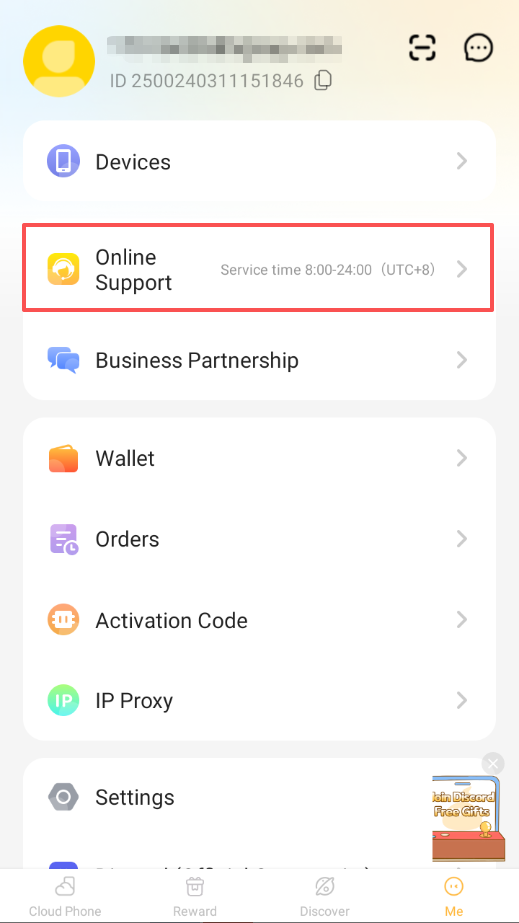
Open the LDCloud Mobile app, tap My on the bottom navigation bar → Activation Codes to enter the main function page.
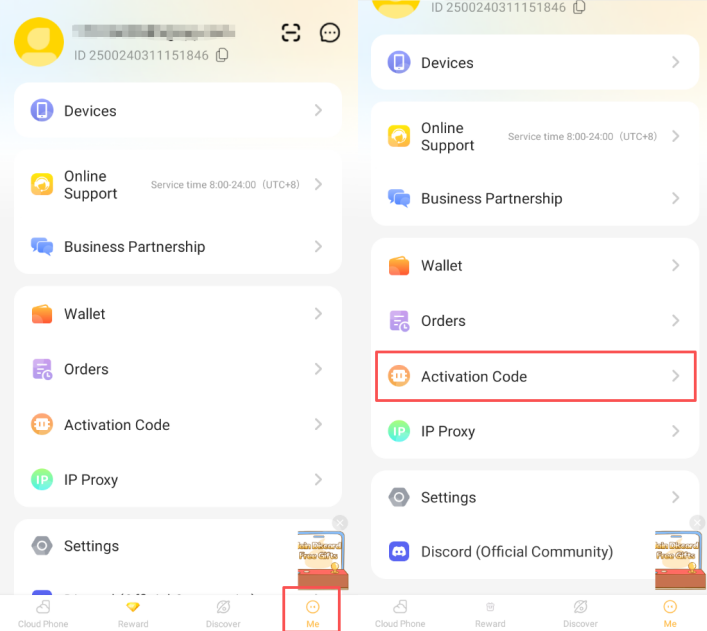
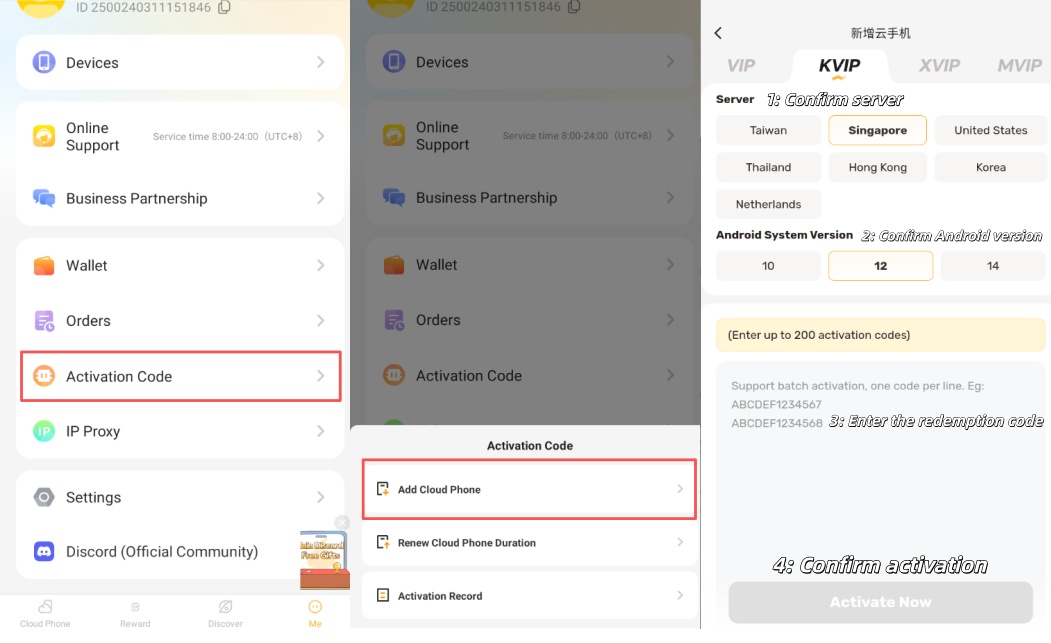
2. Add Device (Including Batch Addition)
-
Single Device Addition:Tap Add Cloud Phone, select a server first, then choose the Android version, and enter the activation code in the input field.
-
Batch Device Addition:After selecting the server and Android version in Add Cloud Phone, for multiple devices at once, enter one activation code per line in the input box, then tap Activate Now.
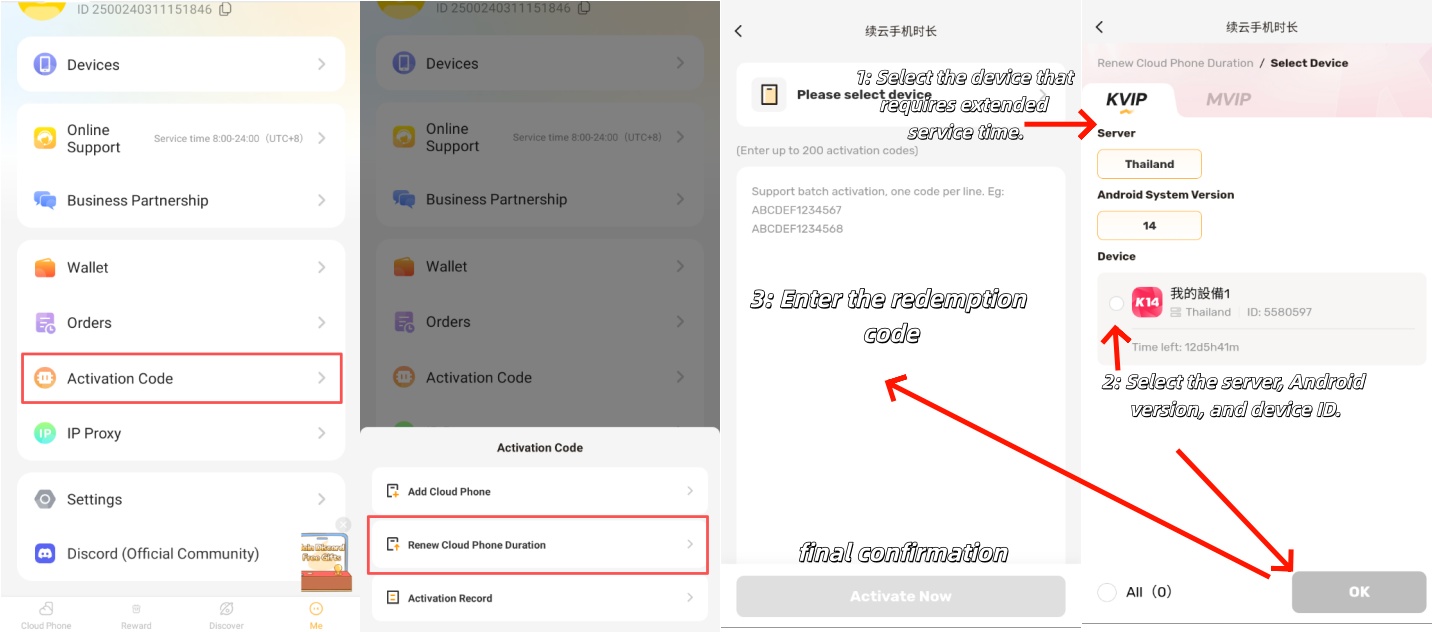
3. Device Renewal (Including Batch Renewal)
-
Single Device Renewal:Tap Cloud Phone Renewal, check the target device to be renewed, enter the activation code, and tap Activate Now.
-
Batch Device Renewal:Tap Cloud Phone Renewal, select multiple target devices of the same specification, confirm, return to the activation code input page, enter one activation code per line in the input box, and tap Activate Now.
Please contact customer service if you have any questions.