LDCloud
Recharge
SALE
English
How to transfer devices using LDCloud
Update Time:2026-05-12 16:18:59
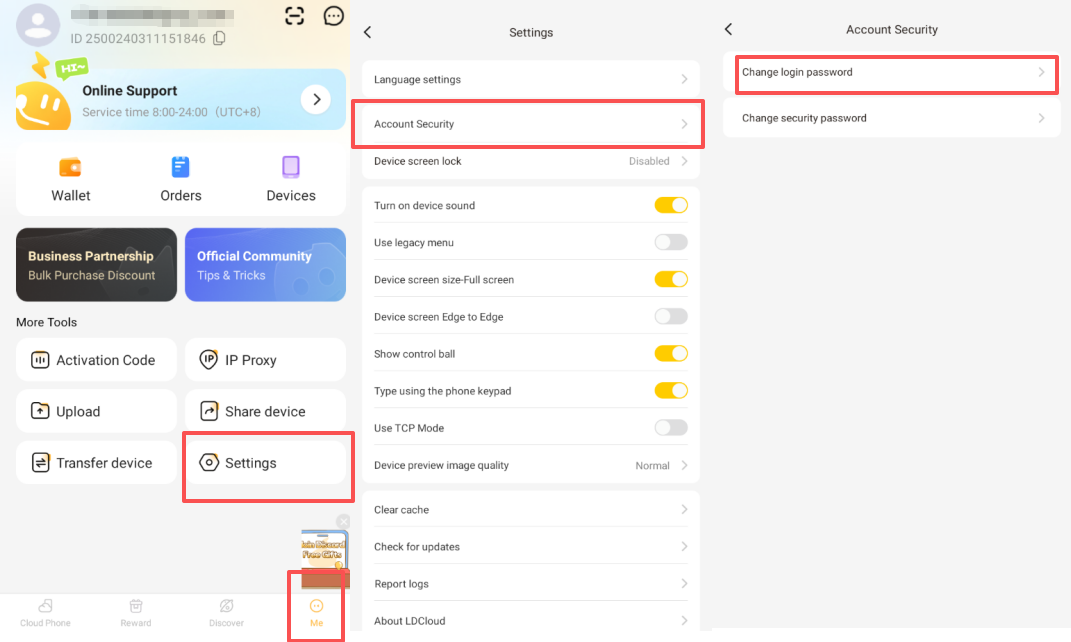
Step 1: Set a Security Password (Required)
Cloud Phone > Me > Settings > Account Security > Change Security Password > Set your security password
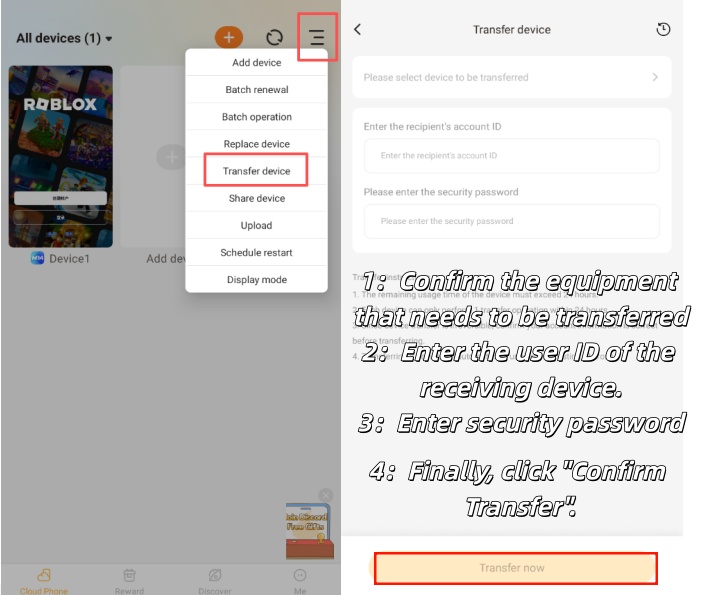
Step 2: Enable the Device Transfer Feature
- Tap the three horizontal lines in the top-right corner of the client homepage.Find and enter Device Transfer. Select the device you want to transfer.Follow the on-screen prompts to enter the recipient’s Cloud Phone Account ID and the security password you set earlier.Finally, tap Transfer Now to complete the process.