LDCloud
Recharge
SALE
English
How to use App auto-start function
Update Time:2026-06-09 17:45:34
This feature automatically restarts apps when they crash, close unexpectedly or freeze, eliminating the need for you to manually reopen them.
Below is the complete step-by-step guide:
Step 1: Locate the Feature Entry
Open the main page of the cloud phone. Find LDCloud Assistant at the bottom right corner of the page and tap to enter its interface, where you will see the Auto-Launch App function.
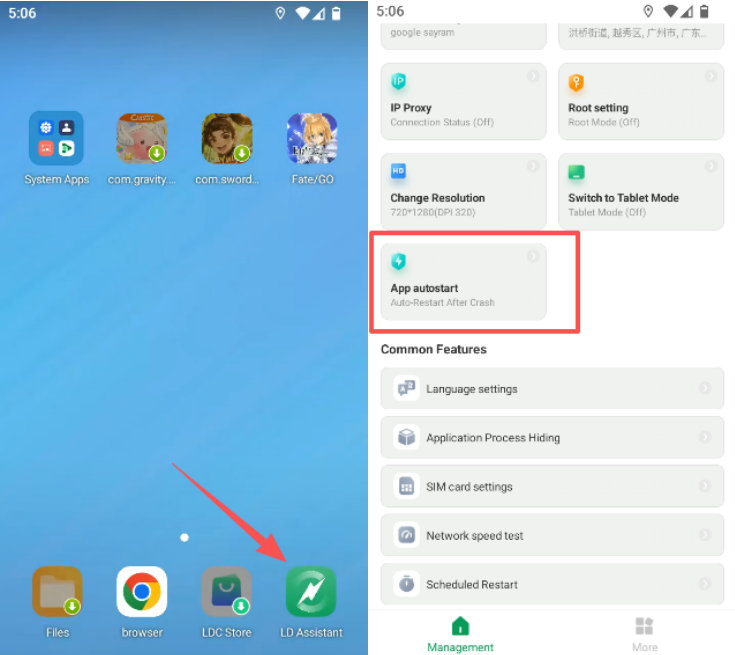
Step 2: Configure and Enable the Feature
On the Auto-Launch App page, tick the target apps you want to enable auto-restart for, then tap the Start Auto-Launch button.
When the page status updates to Auto-Launch App Running, the feature has been activated successfully. From then on, the system will automatically relaunch any selected app if it crashes, freezes or shuts down abnormally.
Should you have any questions or confusion, feel free to contact our online customer service for further assistance.