LDCloud
Recharge
SALE
English
How to bind a third-party IP proxy on the LDCloud PC client
Update Time:2026-06-03 11:03:55
I. Procedure for Adding a Single IP Proxy
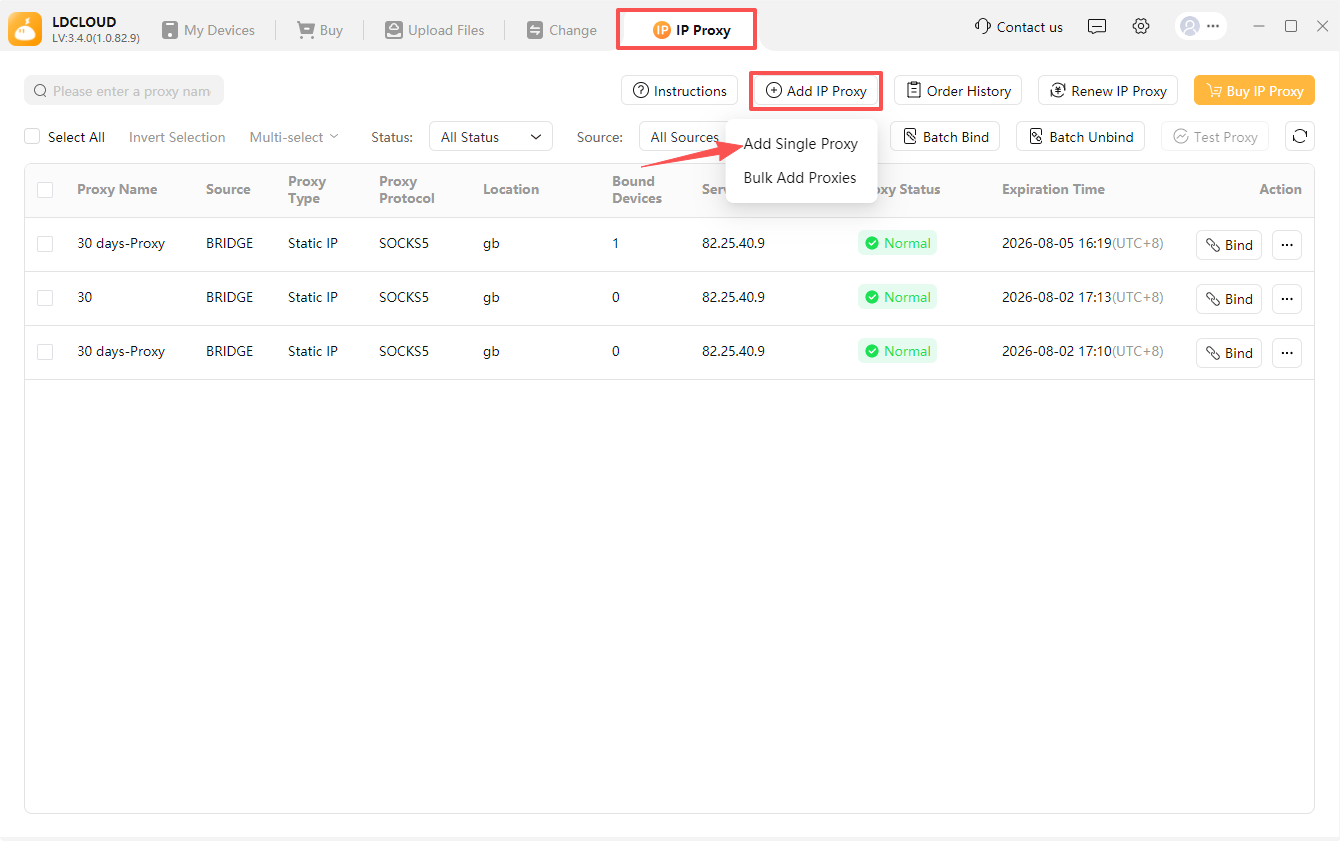
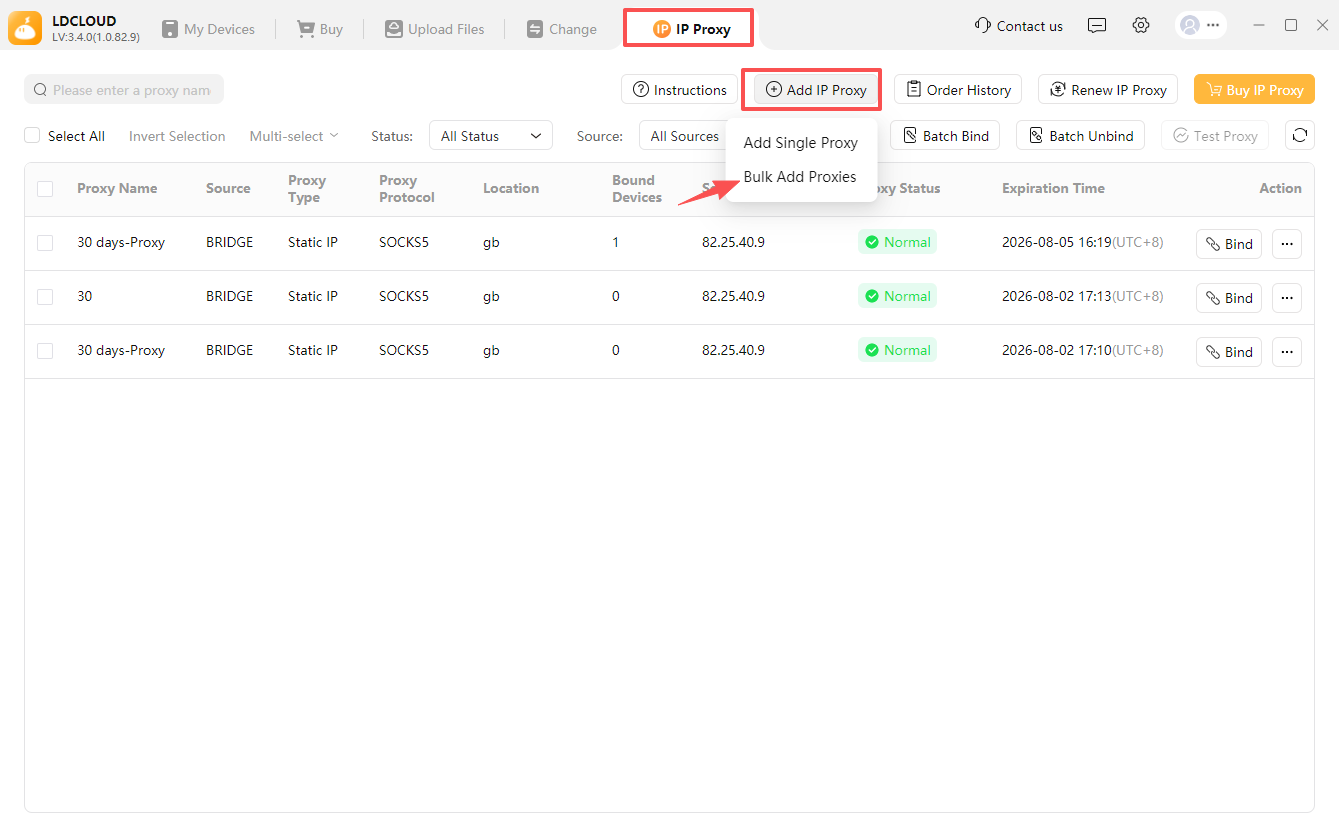
1:Click [IP Proxy] on the top tab bar to access the proxy management page.
2:Hit [Add Proxy] on the top-right corner and select [Add Single Proxy].
3:Fill out proxy parameters in the newly popped window: input server address, port, username, password and other items one by one per the resource details offered by your IP proxy vendor. (After purchasing IP proxy services from the vendor, you will obtain full proxy data including account credentials, server address and port provided by the supplier)
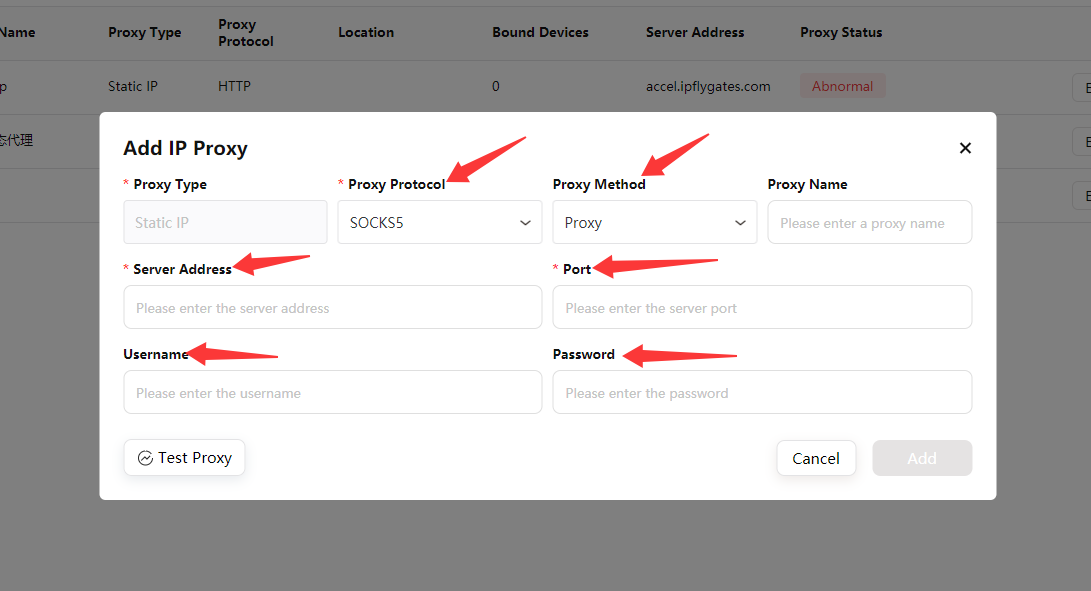
4:Choose the matching proxy protocol and proxy mode according to documents from your proxy service provider.
5:Click [Test Proxy] to finish connectivity inspection:
- Passed inspection: A prompt pops up indicating normal proxy availability alongside the displayed IP affiliated region.
- Failed inspection (pop-up notice: Testing failed. Please verify whether the proxy is expired): Check for wrong parameter entries, contact your proxy supplier to troubleshoot, or reach out to the platform’s online customer service for support.
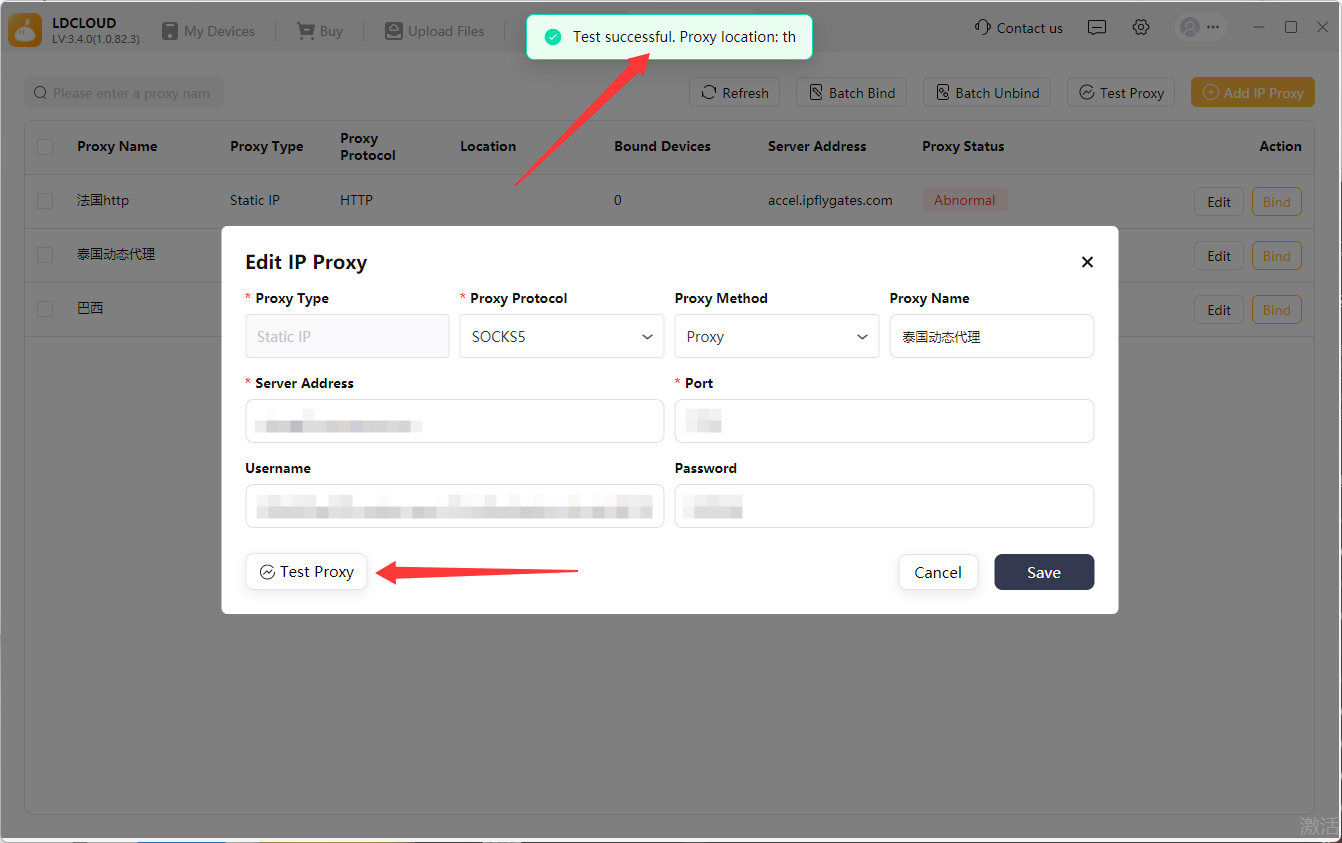
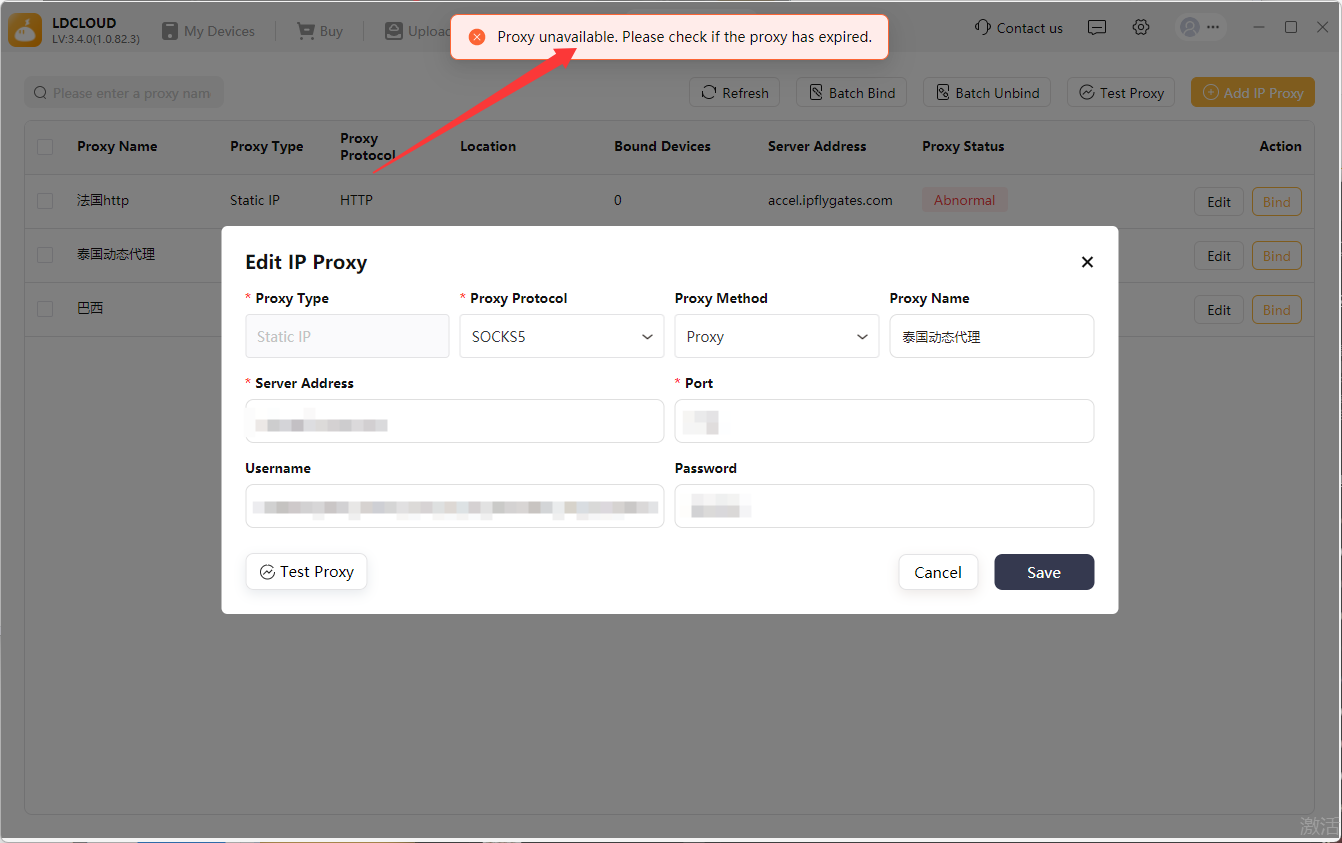
6:Click [Save] after proxy passes inspection; the system will run automatic secondary verification, and device binding becomes available once saved successfully.
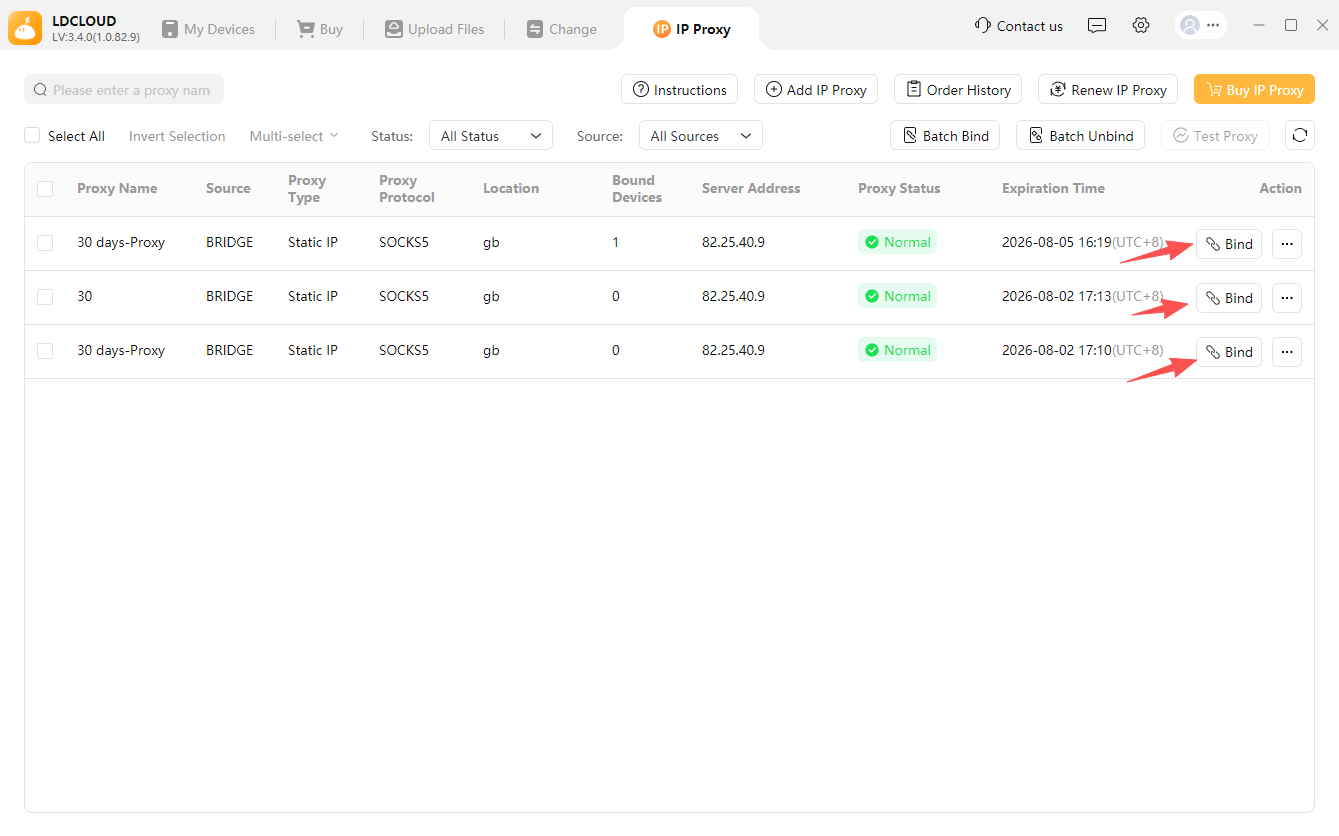
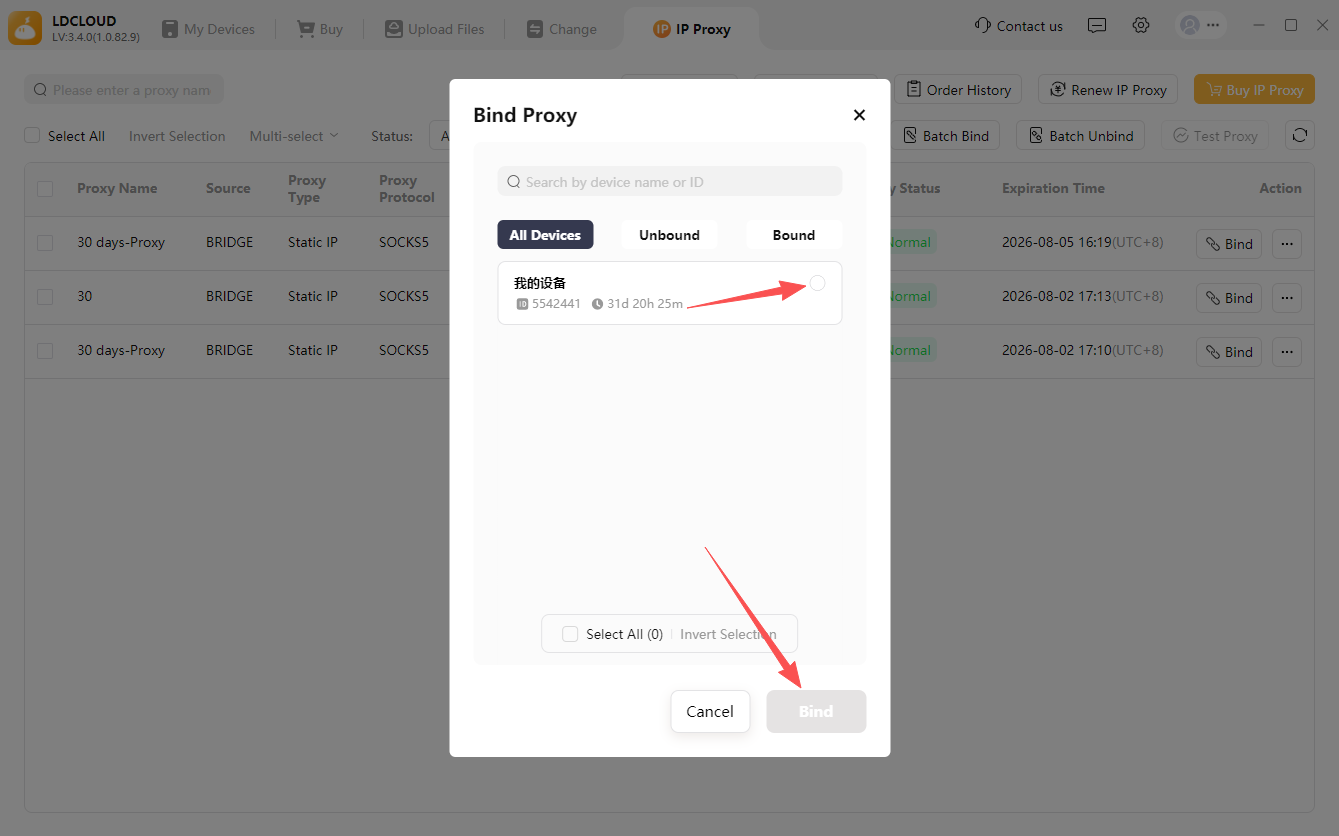
7:Select the saved proxy and tap [Bind], tick target devices to mount this IP in the binding pop-up, then confirm to complete binding.
II. Procedure for Bulk Adding IP Proxies
1:Go to the [IP Proxy] page, click [Add IP Proxy] on the top right → [Bulk Add Proxy].
2:Input proxy information with reference to the built-in sample on page; you can directly copy and revise the sample text. Entry rule: Type one proxy record per independent line.
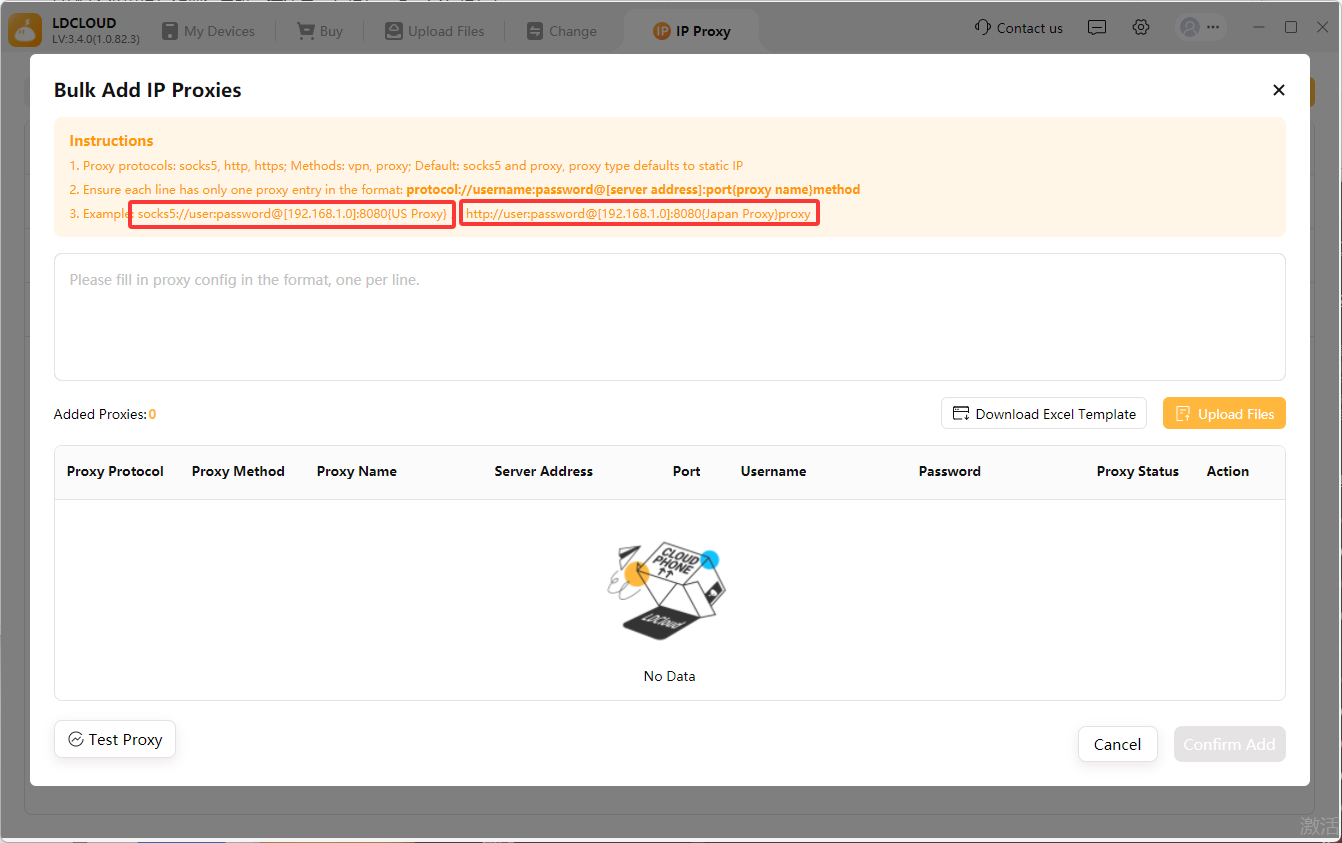
3:After data input, all filled proxy lists appear in real time at the page bottom to support bulk proxy availability detection.
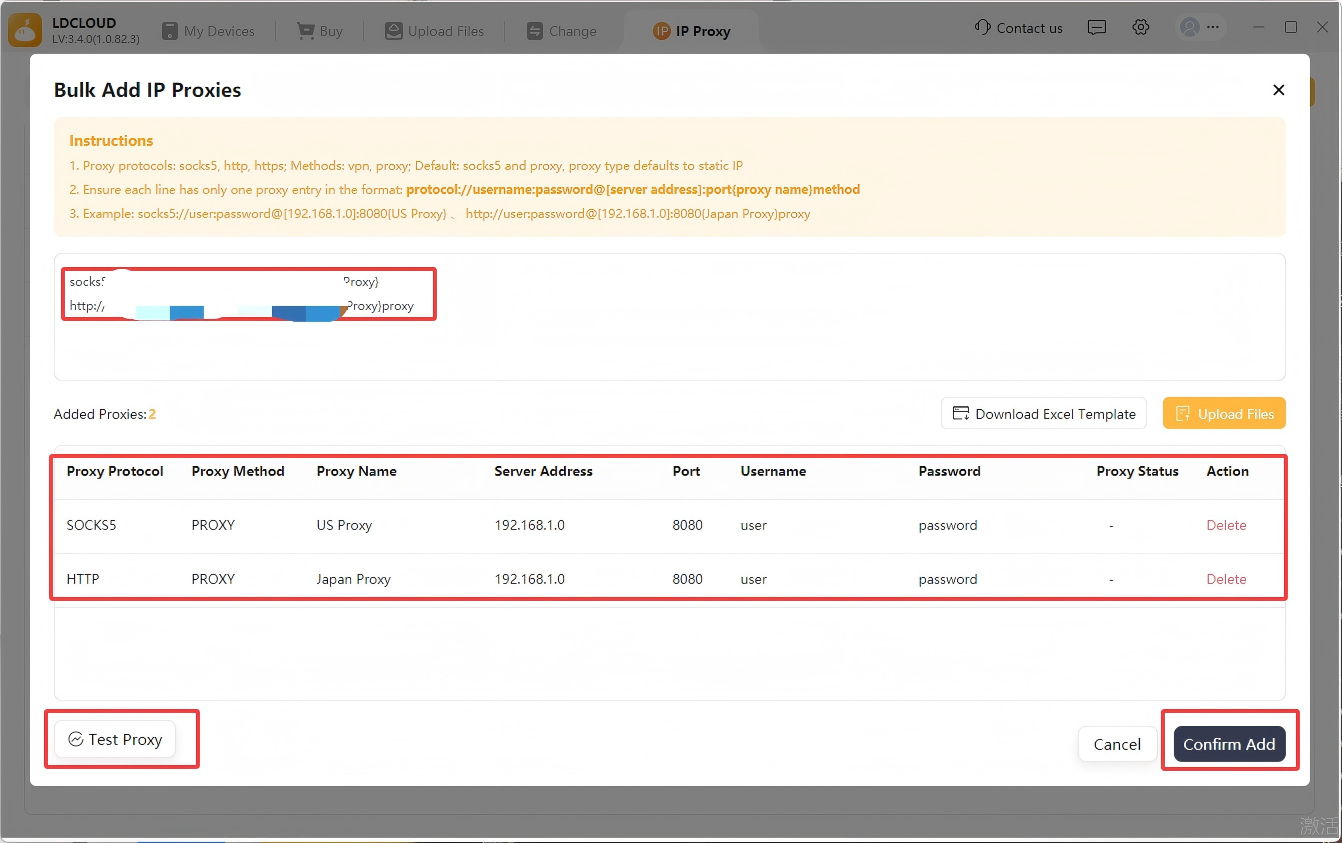
4:Click [Confirm Add] once all proxies pass verification; all proxy data will auto-sync to the [IP Proxy] management list.
Convenient Alternative
Download the official matched Excel template from the page, fill in bulk proxy data offline and upload the file for import to save operating time.
II. Guide to Purchasing IP Proxy Services
Follow the links below to view port operation instructions if you need to subscribe to an IP proxy service:
1:Mobile IP Proxy Purchase Process (tap to view details)
2:PC IP Proxy Purchase Process (tap to view details)